Official Logo & Marks
Guidelines for Using the Sinclair Logo
Ensure you’re using the Sinclair logo correctly to maintain brand integrity. Read the guidelines below before downloading.
Read Before You Download
- How to Correctly Place Logos:
- Selecting the wrong logo format for your project can result in color inaccuracies, graininess, and slow load times. Please choose the appropriate logo for your specific use case.
Need a different logo?
If you require a specific variation of the Sinclair logo, submit a request to the Marketing Department.
Select a Logo Format
Click any logo image below to download the correct format for your needs.
Web Logos
Low Resolution Transparent Background PNG in RGB Colors


Digital Logos
High Resolution Transparent Background PNG in RGB Colors

Print Logos
High Resolution Vector Based EPS in CMYK Colors


Parts of the Logo
The approved logos are single elements, and their parts should not be separated, rearranged or used as incorporations into other elements.
The parts of the logo are as follows:
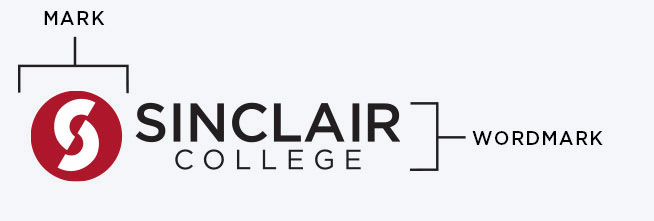
- Mark: the circle with the “S”. The mark can be used for on-campus or novelty items at the discretion of Marketing
- Wordmark: the text “Sinclair College”, “Sinclair Community College” or in one version, “Sinclair”
- Descriptor: division or departments can be incorporated as part of the logo depending on the marketing collateral piece and space available, to be determined by Marketing