Skip to Content

Electronic Vehicle Charging Information

Our Electronic Vehicle Charging Stations use a payment method through ChargePoint. 

Please see the below instructions on how to install the ChargePoint App and set up your payment method.
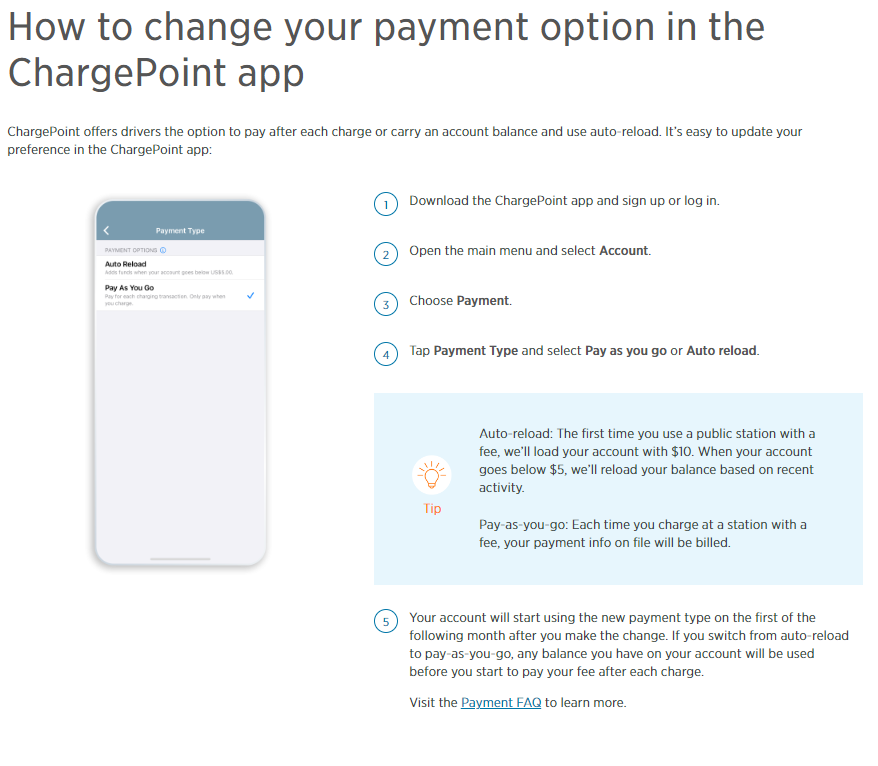
How to change your payment option in the ChargePoint app. ChargePoint offers drivers the option to pay after each charge or carry an account balance and use auto-reload. It's easy to update your preference in the ChargePoint app: 1. Download the ChargePoint app and sign up or log in. 2. Open the main menu and select Account. 3. Choose Payment. 4. Tap Payment Type and select Pay as you go or Auto reload. TIP: Auto reload: the first time you use a public station with a fee, we'll load your account with $10. When your account goes below $5, we'll reload your balance based on recent activity. Pay as you go: Each time you charge at a station with a fee, your payment info on file will be billed. 5. Your account will start using the new payment type on the first of the following month after you make the change. If you switch from auto reload to pay as you go, any balance you have on your account will be used before you start to pay your fee after each charge. Visit the Payment FAQ to Learn more.

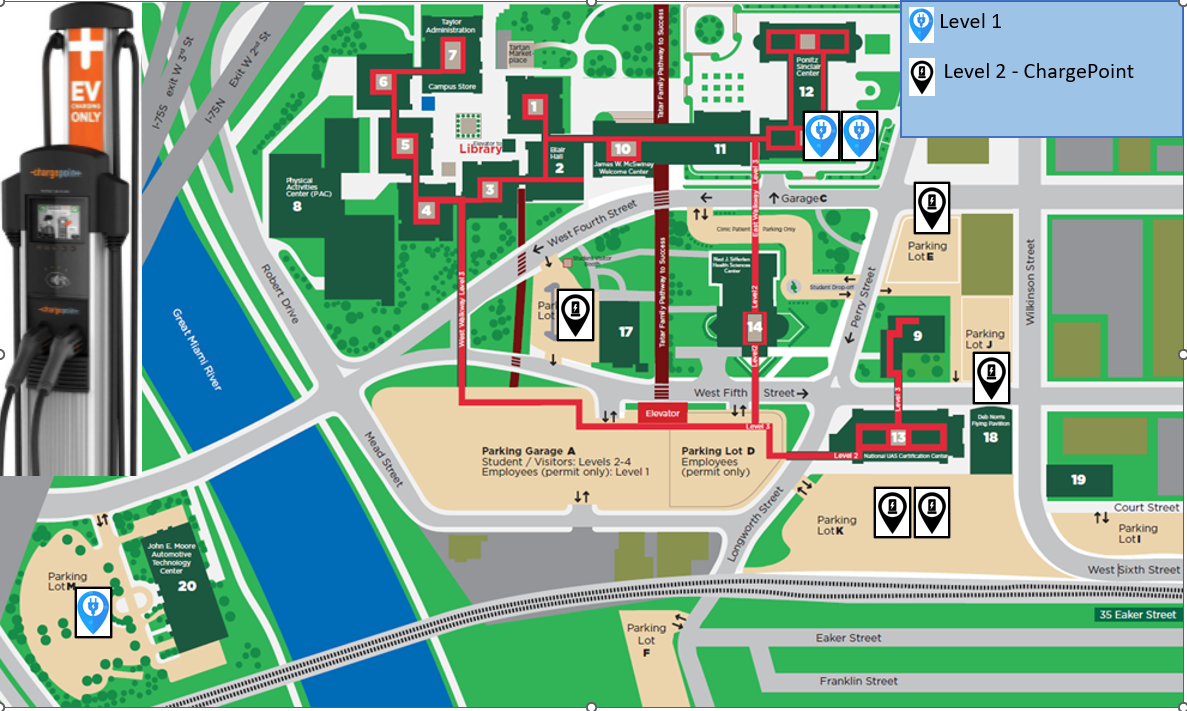
EV Charging Station MAP