This email is being sent on behalf of the Sinclair Accessibility Steering Committee.

Global Accessibility Awareness Day
May 20, 2021

Sinclair College

Accessibility Awareness Day At Sinclair


GAAD logo

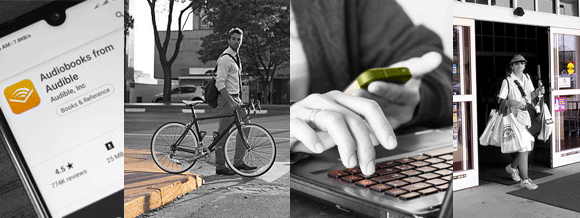
When was the last time you crossed the sidewalk corner curb or walked through an automatic door with your hands full? Did you use a smart home device to turn on a light when you woke up today? I bet all of you used a keyboard and called someone on your phone today. When did you last listen to an audiobook? Do you own an electric razor or electric toothbrush?

Four images in a row showing in black and white highlighting in color the accessible design: a cellphone with the audiobook application loaded to play, a man crossing the street using a sidwalk corner curb, a person holding a cellphone while typing on a keyboard, a lady with both arms full of groceries walk through automatic doors exiting the store.

What do all of these have in common?

Each of those everyday items were invented, or based on an invention, to meet the needs of accessible users, but directly or indirectly became adopted by mainstream and became so popular that their original use for accessibility has been forgotten.

What would today look like without those common items, if those inventions for an original few never happened? But it isn't actually that few. According to a CDC report in 2018, 1 in 4 adults live with a disability in the U.S.

Today, Thursday, May 20, 2021, marks the tenth Global Accessibility Awareness Day (GAAD). We ask that you get talking, thinking, and learning about access and inclusion. Employees and faculty at Sinclair play a large role in ensuring campus visitors, students, and employees with disabilities get an equal opportunity and access at Sinclair College.

Below are the key accessibility resources at Sinclair.


Sinclair Community College is strongly committed to ensuring equal access and equal opportunities to all its constituencies.

View Sinclair's Web Accessibility Policy at www.sinclair.edu/accessibility.


Sinclair Accessibility Resources:


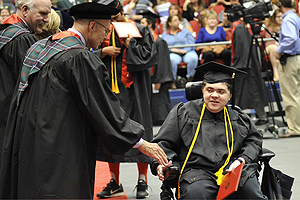
Sinclair student in a wheelchair graduating and shaking the hand of a faculty.

For Students:

  • How Sinclair students can request Accommodations from Accessibility Services
  • Sinclair's Web Accessibility Policy
  • How to Request Online Content in Alternate Formats
  • Alternative Formats in eLearn Using Ally
  • How to File a Compliant
  • CCP Accessibility Services
  • HOT Student quick start using Ally for eLearn
  • NEW Tartan TOPS

Sinclair faculty seated in the UD Arena bleachers behind the stage of the Graduation ceremony.

For Faculty:

  • Instructor Resources from Accessibility Services
  • Accessible Online Documents
  • HOT Accessibility in Zoom
  • Accessible Emails in Outlook
  • UPDATED Accessibility Training in the eLearn Hub
  • Requesting Course Development
  • HOT Faculty quick start using Ally for eLearn
 

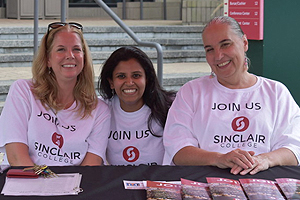
3 Female Sinclair staff sitting at a Welcome week station table handing out packets.

For Employees:

  • How Sinclair employees can request Accommodations: Contact Human Resources at hrdept@sinclair.edu or 937-512-2514.
  • HOT Accessible Online Documents
  • Accessibility in Zoom
  • Accessible Emails in Outlook
  • UPDATED Using a VPAT® to purchase accessible software, hardware, and electronic content.

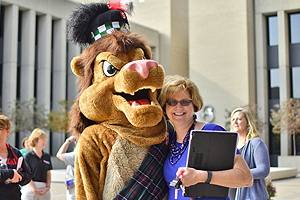
The Sinclair Lion mascot walking across a Downtown Dayton street with Sinclair employees.

For Advanced Content Creators:

  • Graphic Designers
  • Instructional Designers
  • HOT Social Media
  • Web Developers
  • HTML Email Communications
 

Creating Accessible Online Documents

Adobe Acrobat

Microsoft Word

Microsoft PowerPoint

Google Docs


Commitment to Accessible Websites, Applications, & Software

In partnership together, Marketing, IT's multiple departments, and Purchasing, continue to work with Sinclair's Accessibility Steering Committee to improve accessibility online and technologically.

Application Development continues to make strides in making our web content more accessible. We are working toward implementing industry best practices in all new application development, as well as addressing issues with legacy sites. In the past year, all Flash-based content has been removed and replaced with HTML5. The ultimate goal is for any new development, both internal and external, to be written with accessibility first.

Marketing and Application Development for the third year, continue to utilize SiteImprove scanning software for accessibility testing. We are also currently looking into new accessibility tools, such as accessibilityinsights.io, for manually testing accessibility issues.

Marketing is contracting with the company Fusion Alliance to perform manual real-world accessibility testing and audits of over 20 key student life-cycle websites. Finding any issues to remedy with IT and Purchasing, through site code fixes and improving service contract terms with vendors.

End-User Computing is working to improve accessible software for campus use.

Server Based Computing is working on a new electronic workflow to track and monitor domains and subdomains created, for use in the creation of college-wide tracking Sinclair's online web application accessibility.

Purchasing has fully implemented changes to the procurement process ensuring all new or renewed contracts, in which web accessibility regulations apply too, have a VPAT and/or addendum on record.

We ask that anyone who is looking to design a website, application, or use technology to take audience and accessibility into account.

 
Sinclair College
444 W Third St.
Dayton, OH 45402
www.sinclair.edu
Facebook Twitter YouTube Instagram Snapchat
© 2021 Sinclair College, All rights reserved.
Privacy Statement | Security Policy | Accessibility
- - - - - - - - - - - - - - - - - - - - - - - - - - - - - - - - -